DRUID v9.20 (Latest)
Deployment Dates
The table below lists the deployment date of Druid v9.20 across Druid Clouds. To view the Druid Releases Calendar, see Druid Releases.
|
Druid Cloud Community *.community.Druidplatform.com |
Druid Cloud US *.us.Druidplatform.com |
Druid Cloud Australia *au.Druidplatform.com |
Druid Cloud West-Europe (PROD) *.Druidplatform.com |
|---|---|---|---|
| April 14, 2026 | May 07, 2026 | May 07, 2026 | May 07, 2026 |
These release notes give you a brief, high-level description of the improvements implemented to existing features.
If you have questions about your Druid tenant, please contact support@Druidai.com or your local Druid partner for more information.
What's New
- Druid Voice - A Complete Conversational AI Stack. We are excited to announce the launch of Druid Voice, a native, comprehensive stack designed to bring high-performance voice interactions to your AI Agents. Druid Voice bridges the gap between digital and telephony channels, allowing natural voice engagement across your entire business ecosystem.
- Omnichannel Connectivity. Seamlessly integrate SIP connectivity for traditional telephony support or deploy voice interactions directly within your web channels.
- Flexible STT & TTS Providers. Take advantage of Druid native services or choose from an expanded list of industry-leading providers, like Azure, ElevenLabs and Deepgram.
- Real-Time Processing. Optimized for low-latency, ensuring that voice interactions feel natural.
-
Speechmatics STT Integration. Voice Channel capabilities now include Speechmatics as a speech-to-text provider. This integration supports both real-time and batch transcription, offering high accuracy across various languages and accents to improve voice interaction reliability.
- Event-Driven Form Automations via Code Editor. With this release, you can now trigger integrations and flows using form events—such as OnLoad, OnSave, or field and tab changes—by using the Code Editor without relying on standard form automations. This update allows for seamless, background execution of complex logic, enhancing interactivity while reducing manual user steps.
Key Capabilities:
Improvements
- Data Analytics & Insights - Enhanced export access control for conversation data. Starting with this release, exporting conversation data is controlled through a dedicated permission. This update introduces more granular access control and ensures that only authorized users can extract conversation data.
- Conversation History – Export session logs and user interactions.
- Flow-level analytics – Export data filtered by specific flows in Flow Designer.
- NLU model evaluation – Export conversation history and model performance data for analysis.
- Set Variables and Code Extension – Enhanced Error Handling. The Set variable error severity setting, located in AI Agent details > Dialogue management, now supports exception handling for both Set Variables and Code Extension errors.
- Silent mode. The engine ignores the error and continues the conversation.
- Raise exception. Create a dedicated flow for error handling and select it from the Exception flow drop-down in AI Agent details > Dialogue management. For flow steps where Exception handler is active, the AI Agent will follow the Exception flow logic.
- If the Raise exception severity is active but no Exception flow is defined, the conversation will stop when an error occurs, and an exception will be logged in the Conversation History.
- SSO Authentication – Timeout Management. We have enhanced the Oauth 2.0 Sign in and SAML SSO Sign in flow steps to prevent conversation deadlocks during the authentication process. Previously, if a user failed to complete the sign-in process, the flow could remain stuck until manually canceled. This update introduces an automatic timeout mechanism within the Flow Engine to ensure a smoother user experience and better session management.
- Exception Type: OtherException
- Exception Message: SSO Time-Out
- Prompting the user to retry the authentication.
- Redirecting the user to a different functional flow.
- Displaying a tailored message explaining the session expiry.
- File Upload Improvements. We enhanced file upload handling to improve visibility and support partial uploads when files are flagged by the anti-malware system.
- When a file is rejected, the existing exception behavior remains unchanged. The system now also logs the event in Conversation History:
- For multiple file uploads. If a user uploads multiple files and only some are flagged as threats, the system will now accept the clean files into the conversation context rather than rejecting the entire set.
- Clean files are accepted and added to the conversation context. Successfully uploaded files are available in the [[FileList]] collection.
- Rejected files trigger the exception [[SystemError]].ExceptionType == “UnsupportedFileUpload”.
- Rejected files are logged in the Conversation History.
- New LLM Resource - Anthropic Claude. We are excited to announce full support for Anthropic Claude models within the Druid AI Platform. This integration allows you to leverage Claude’s advanced reasoning and conversational capabilities across your AI Agents.
- Claude 4.5 Haiku – high-speed, cost-efficient tasks
- Claude 4.5 & 4.6 Sonnet – balanced performance and intelligence
- Claude 4.6 Opus – complex reasoning and advanced use cases
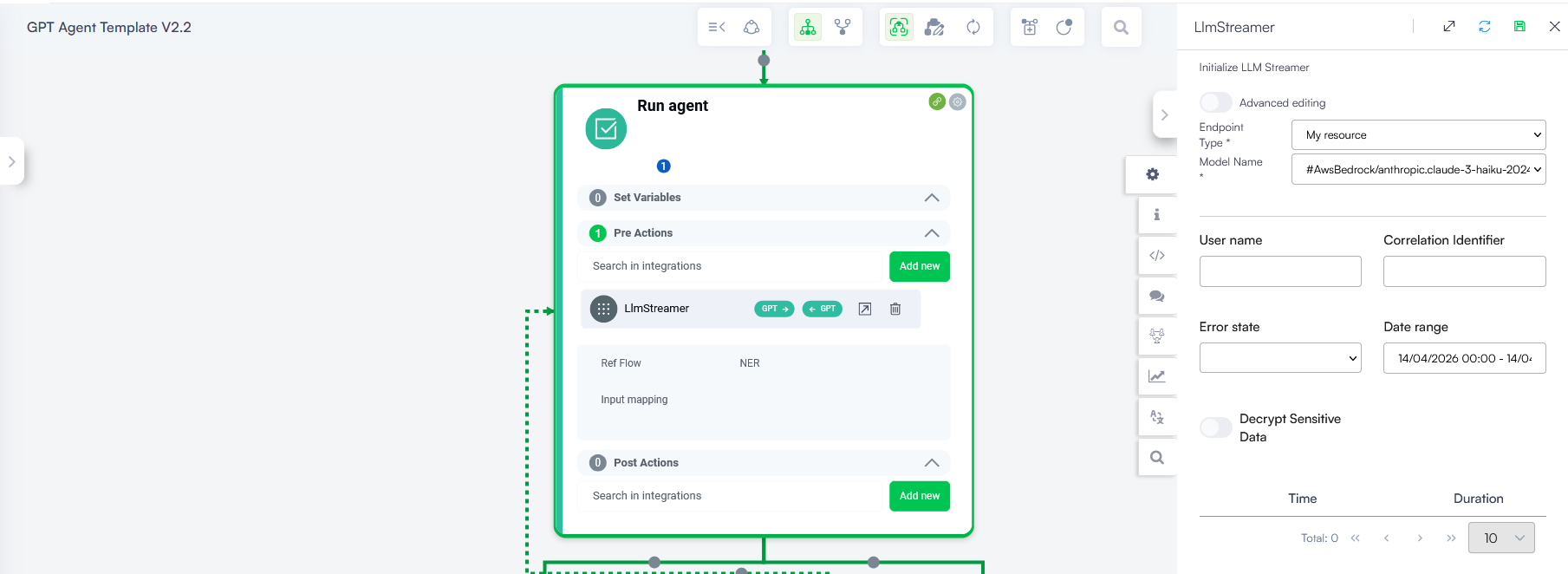
- LLM Response Streaming – Real-time streaming for voice interactions.
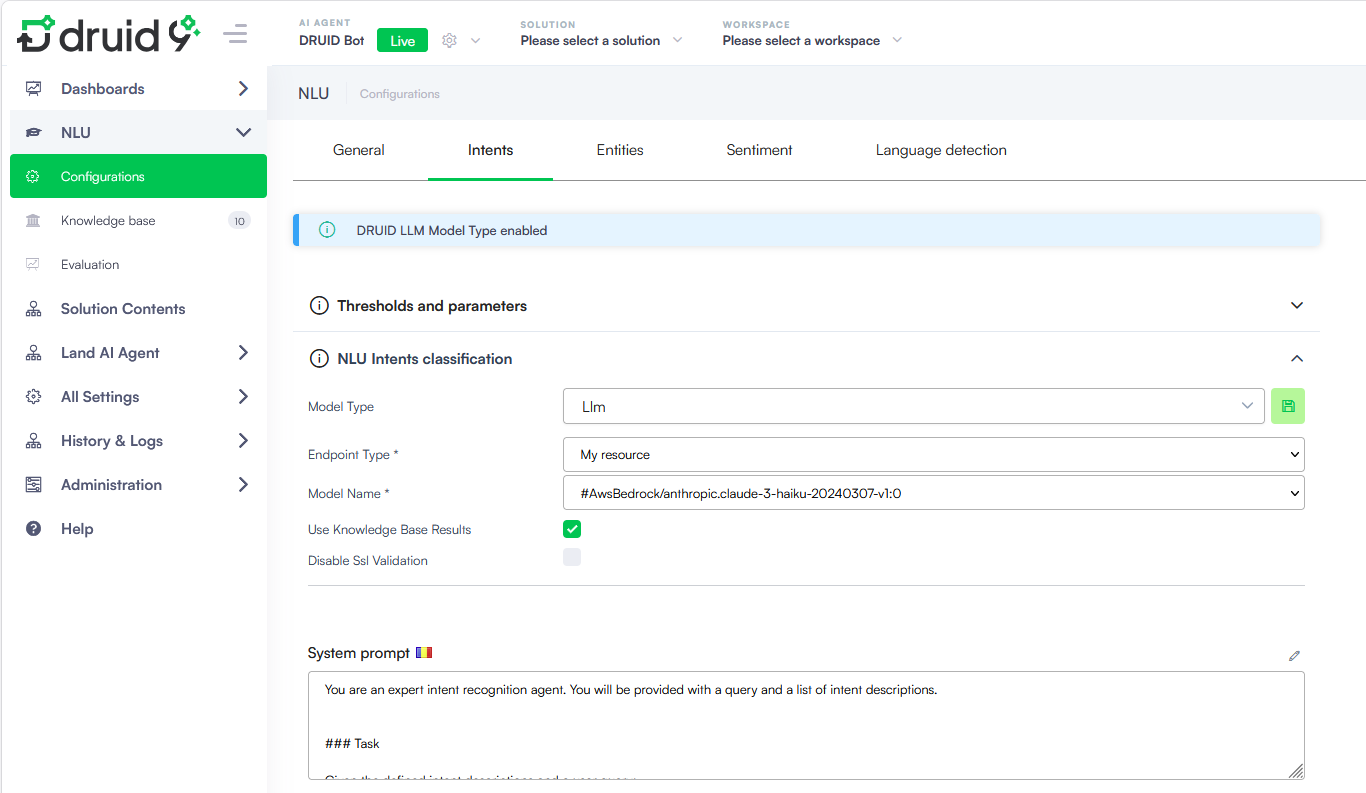
- NLU intents classification with LLM – Use Claude models for intent classification.
-
Live Chat Dashboard - New Agent Performance Metrics. We have introduced two new metrics to the LiveAgentsList widget, providing helpdesk managers with deeper insights into agent productivity and time management. These metrics help track both the volume of work and the total time spent in active support: Number of conversations (per day) and Total conversations (per day). This improvement allows a more granular analysis of agent occupancy, helping supervisors identify trends in daily workload and engagement efficiency.
- KB PDF Extractors - OCR improvement. Building on our OCR capabilities, this release introduces the Auto mode for the Elpis and Daguerre PDF extractors. This mode provides an intelligent balance between text searchability and visual context.
- NLU Intents classification - Dedicated Configuration UI. To streamline configuration and reduce setup complexity, intent classification settings are available in a dedicated UI section. It is no longer available in section Threshold and Parameters.
- New location. Go to NLU > Configurations > Intents, then expand NLU intent classification.
- Centralized configuration. Select the Model Type directly from a dropdown.
- Simplified LLM setup. When you select Llm, all required fields—such as Endpoint Type, API URL, and Model Name—are displayed in a structured form.
- Removed dependency on special parameters. You no longer need to configure NLU.NER.Classification.ModelType in the Thresholds and parameters section.
- Knowledge Base - Synonym Dictionary. Druid now supports Synonym Sets in Knowledge Base Advanced Settings, giving your AI Agent the ability to recognize that different words can mean the same thing.
- Dynamic Charts – Multi-level sorting. You can now apply sorting at each X-axis level in dynamic charts. This improvement gives you better control over how multi-level grouped data is displayed, making complex charts easier to read and interpret./p>
Administrators must explicitly grant the Export conversation history permission to users who require export capabilities for conversation data. Without this permission, export options (such as Export and Export Excel) are not available.
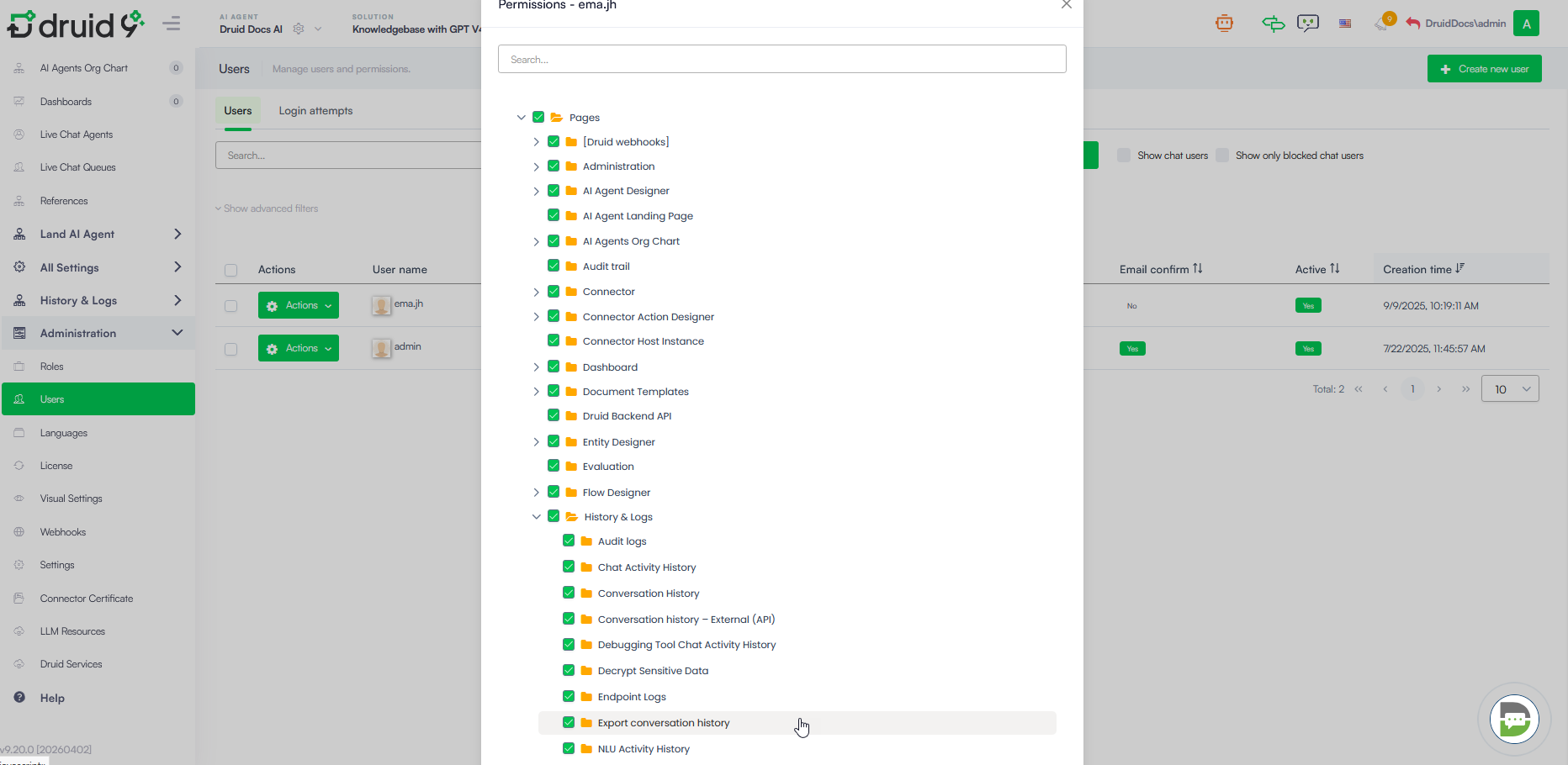
This permission applies to all data export points, including:
For more information, see the Conversation History and NLU Model Evaluation.
Starting with this release, you can define how the Flow Engine treats errors encountered during variable assignment or code execution:
For more information, see Set Variables – Error Handling and Code Extension – Error Handling.
If a user does not complete the authentication within 120 seconds from the moment the sign-in link is provided in the chat, the system now automatically triggers a failure state. When the authentication timeout is reached, the following exception details are raised:
Flow authors can now use the Exception Handler directly on the sign in step to define custom fallback behaviors, such as:
This update provides you with full control over the conversation path when authentication timeout limits are met, ensuring users are never left without guidance.
“File <file name> was found corrupted by DRUID Antimalware system”.
For more information on the File Upload steps, see File Upload.
Available models:
Configure Anthropic Claude as a centralized LLM resource and assign models to AI Agents with full control over usage and governance and use it for:
When Use OCR for pictures is set to Auto, the system dynamically decides how to process content on a per-page basis. If the extractor finds both images and text on the same page, it skips OCR for the image. Instead, it extracts the image, stores it in Druid storage, and embeds a link with a 30-minute authentication token in the paragraph, allowing users to view the original image within the chat.
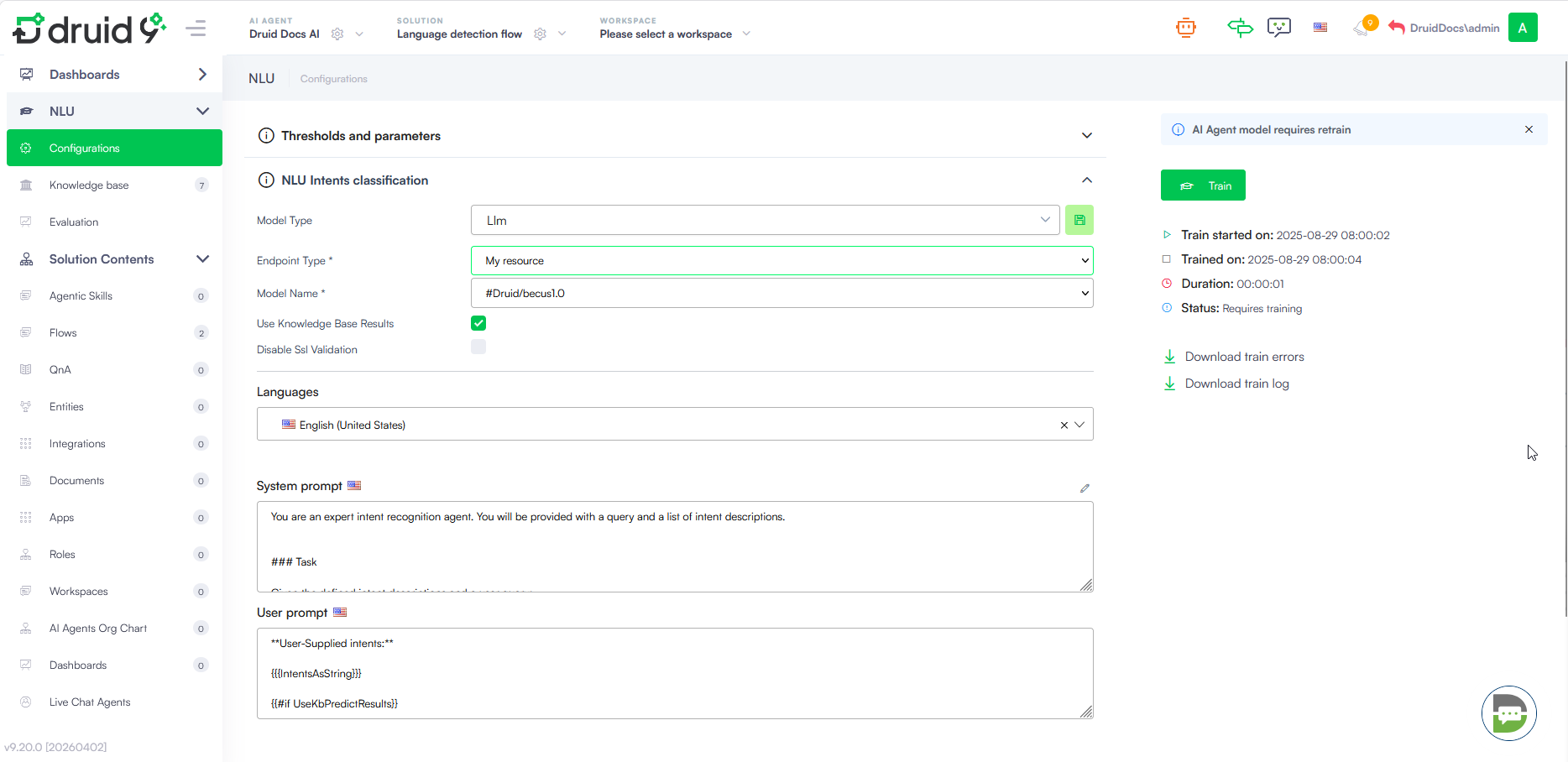
For more information, see NLU Intents Classification.
Users rarely phrase questions the way your documentation is written. With synonym mapping, you can bridge the gap between user language and source content — linking industry jargon, acronyms, and variations so the right answers surface regardless of how a question is asked.
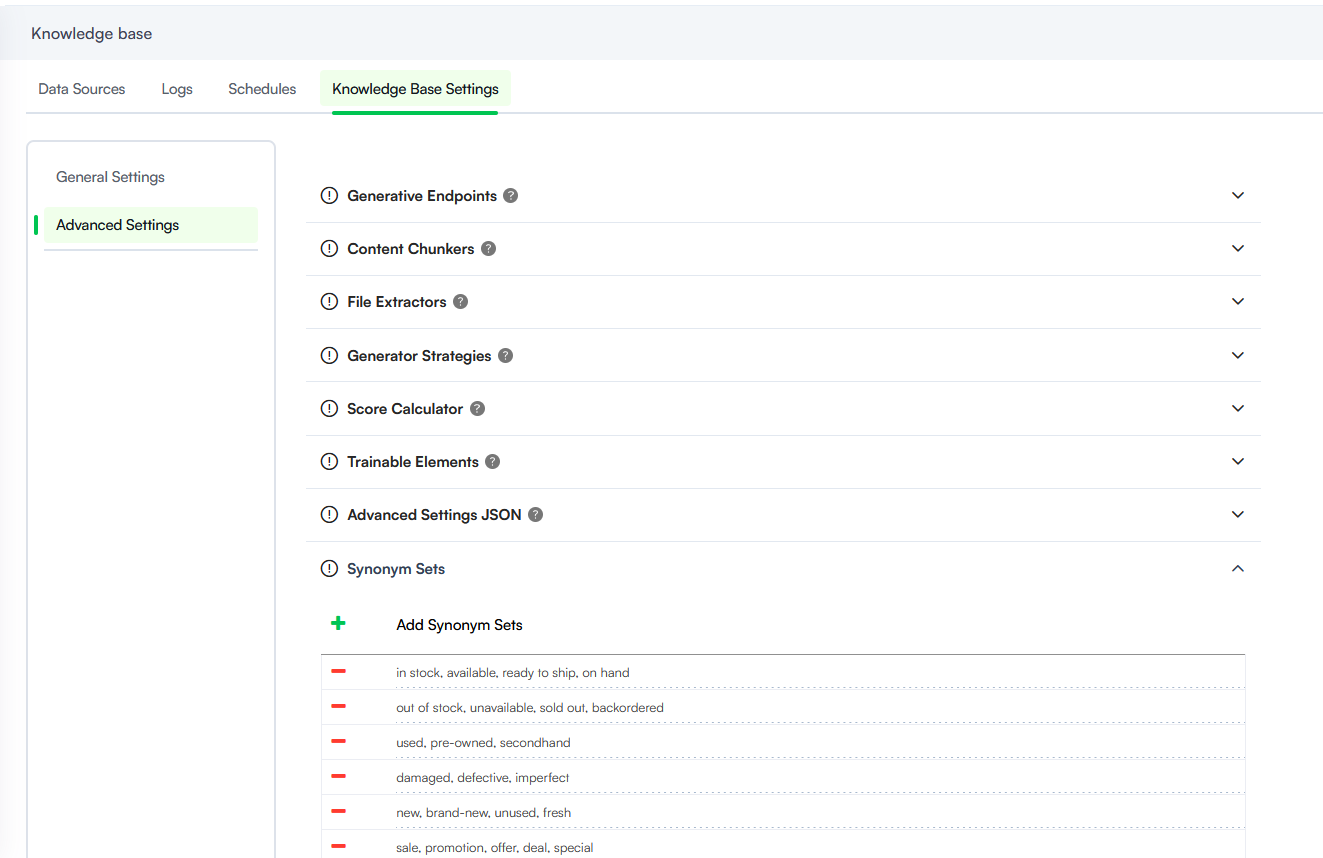
For more information, see Synonyms Dictionary.
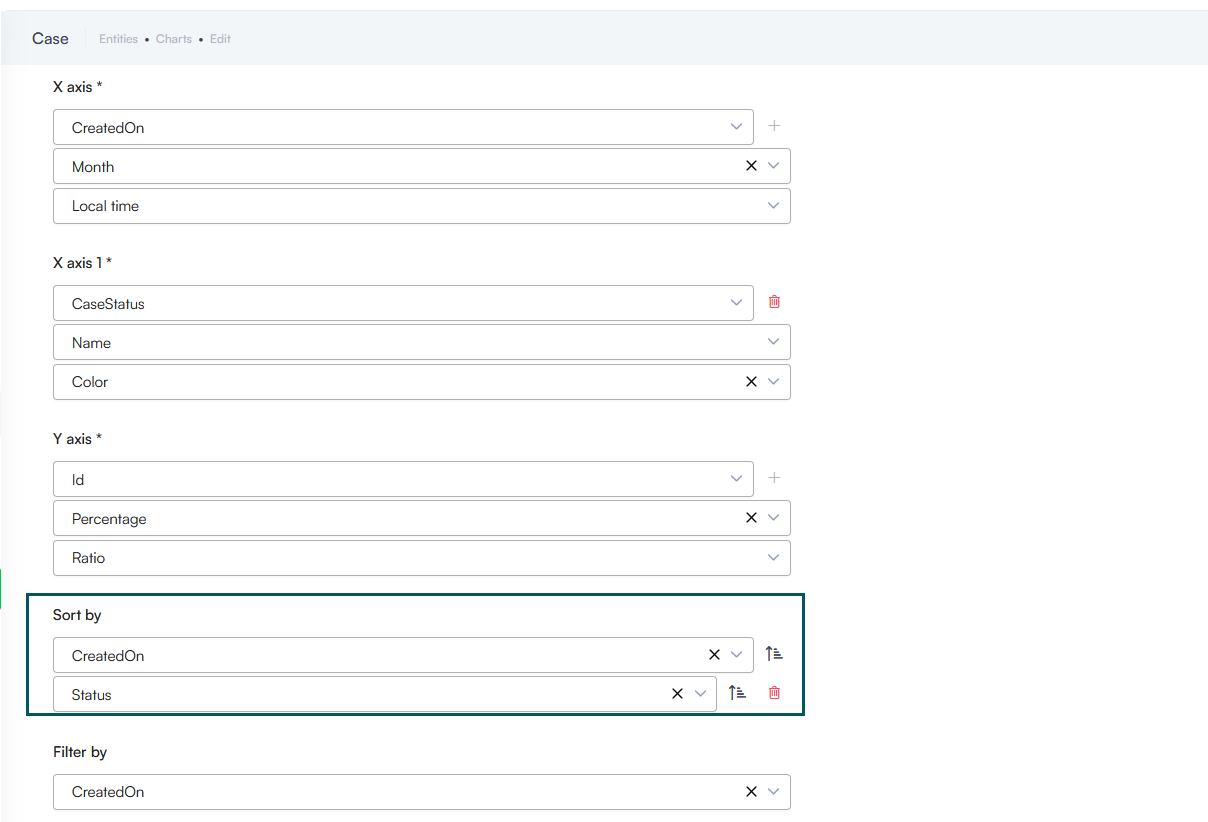
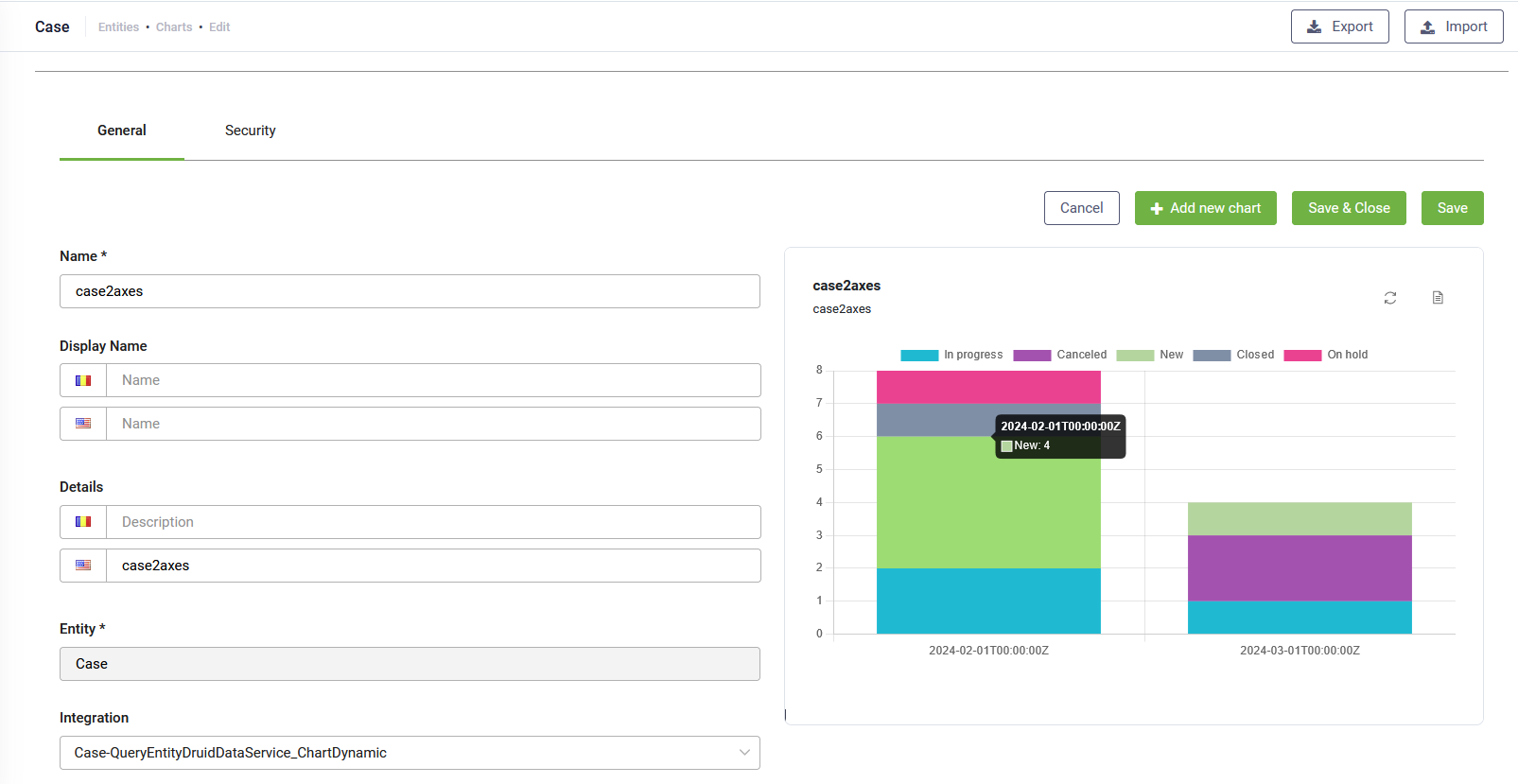
For more information on how to set configure dynamic charts, see Dynamic Charts.
Bug Fixes
- Outlook Channel Attachment Sync. Fixed an issue where Outlook emails containing multiple attachments failed to sync correctly.
- Viber Proactive Messaging. Resolved a bug in the Viber Channel where proactive messages were not sent during long-running integration steps. Proactive messages now correctly trigger across all communication channels while integrations are processing.
- Hero Card Input Handling. Fixed a data truncation issue in Hero Card configurations with the Repeater setting enabled. Previously, manual string inputs ending in numbers (e.g., "Show me 10") were being truncated; the system now correctly retains the full string value in the context.
- Conversation History Filtering. Resolved a display error where the Group by Conversation view would show zero results if an Agent Name filter contained special characters or non-Latin scripts.
- Identity Card Extraction. Improved the Identity Card extraction engine to support newer card formats without digital chips. This fix addresses specific data mapping issues for address fields, validation errors, and long address line extraction.